-
 files/8ae02061bb.jpg
-
 files/fcce922a37.jpg
-
 files/f948094fcd.jpg
-
 files/f6839f23d8.jpg
-
 files/074fa9e73b.jpg
-
 files/1d9b5cf93a.jpg
-
 files/6f6fb97ffe.jpg
-
 files/e4f0ac199a.jpg


Produktübersicht
QUICK OVERVIEW Working Based on existing GSM/GPRS network and GPS satellites, this product can locate and monitor any movable device by SMS ,app and internet
Details
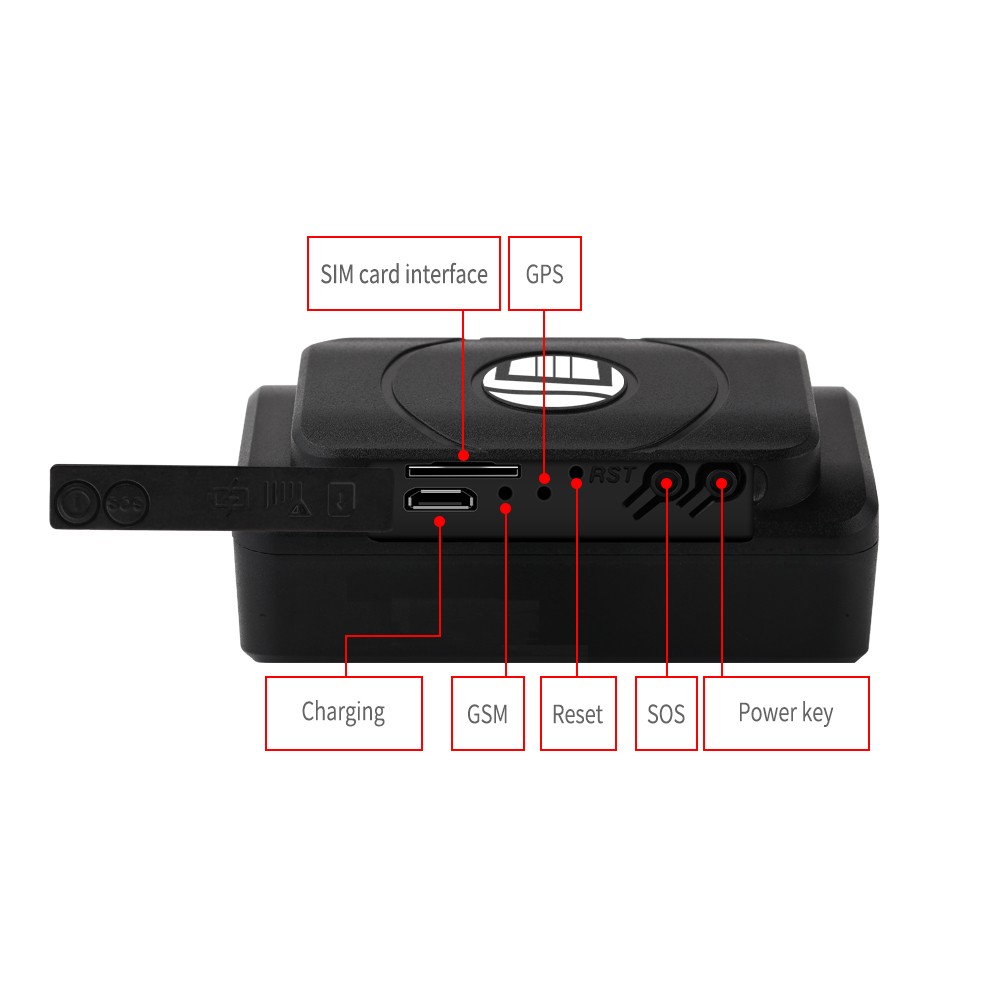
- NEW PRODUCT (with original packaging) -- Newest TK202 GPS and AGPS dual positioning GSM/GPRS/GPS Tracker
- Working Based on existing GSM/GPRS network and GPS satellites, this product can locate and monitor any movable device by SMS ,app and internet
- It has newest advanced technology of gps and agps dual positioning
- Content
- Specs
- Dim
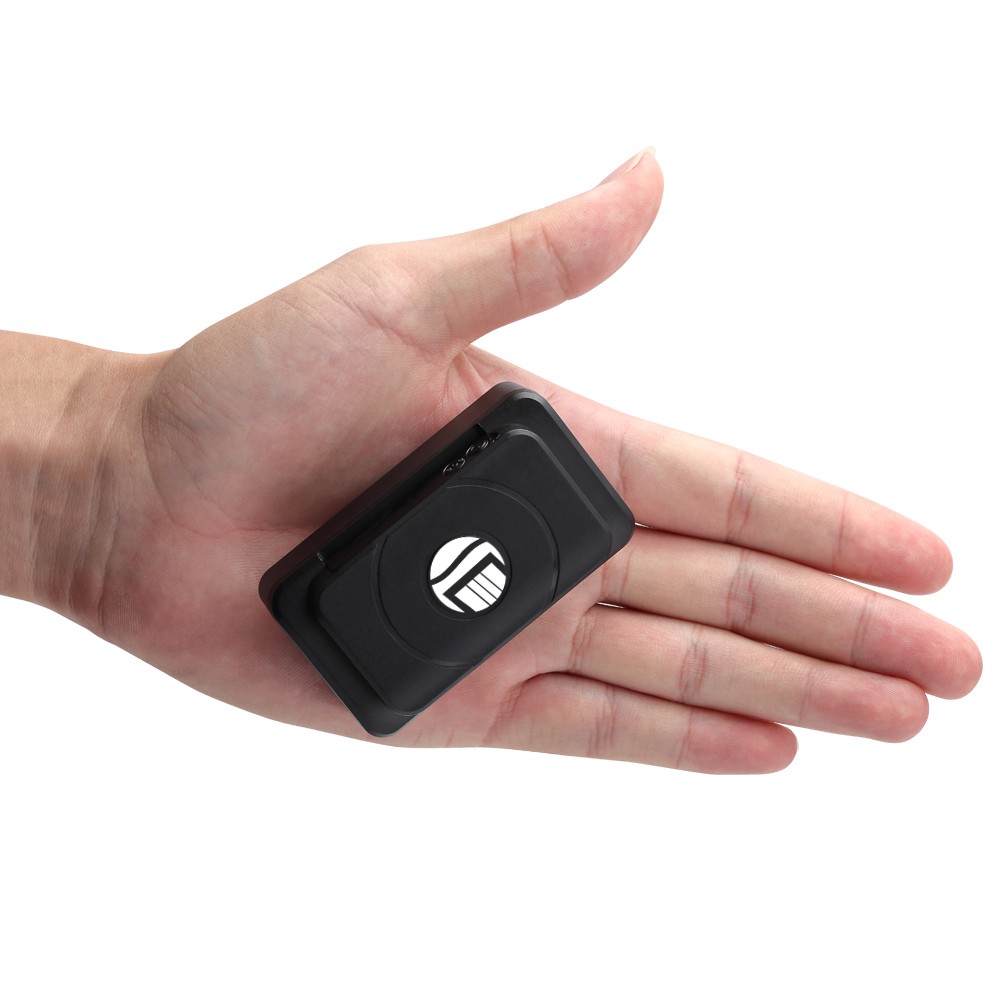
- 74*43*31MM
- Weight
- 202A :140g(6400ma)
- 202B: 95g(4400ma)
- Network
- GSM/GPRS
- Band
- 850/900/1800/1900Mhz
- GSM chip
- MTK6261D
- GPS chip
- U-blox 7020&8130
- GPS sensitivity
- 159dBm
- GPS accuracy
- 5-10m
- Time To First Fix
- Cold status 45-85s
- Warm status 35s
- Hot status 1s
- charging voltage
- Battery
- Chargeable battery 3.7V
- Storage Temp
- 40°C to +85°C
- Operation Temp
- 20°C to +55°C
- Humidity
- 5%--95% non-condensing
- 2.Led indicator status
- LED INDICATOR STATUS
- MEANING
- Red light continuously work
- Charging
- Red light not lit
- Fully charged
- Green light Flashing
- Success get GSM singnal
- Green light continuously lit
- Searching GSM signal
- 3. Operational
- 1).GPS tracking can be worked outdoor. Must have mobile phone gsm signal and have GPS signal, It can block GPS satellite signal when there are metal or building above the GPS tracker
- 2).Pls make sure GSM 2g SIM card or compatibility 2G GSM network sim card, supports making calls, sending messages, GPRS network.have money,Cancel the PIN code
- Quick using
- 1) Put the SIM card into device,take the device to outdoor
- 2)send“smslink123456” to sim card in tracker ,tracker reply positioning information
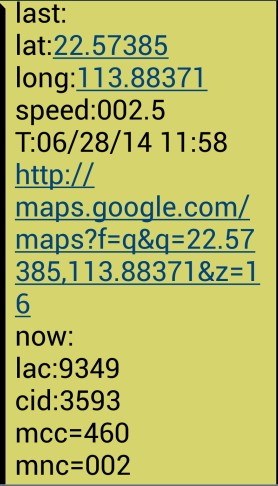
- Picture (1) have gps signal Picture (2) no gps signal
- Pic(1):Replied real-time tracking information
- Lat:22.67533 lon:114.03913: Positioning of the latitude and longitude
- Speed:000.1: device moving speed. The unit is km/h
- T:06/14/17 09:14 : real-tracking time, the Default is London time. You can Set a time zone by sms command
- Google Link: Google map showing the position of the device
- Pic( 2):Replied last time position information. Now is LBS position information. no gps signal
- smcc:27a4 1223: Real-time LBS data
- Time:08/00/00 LBS positioning time
- If you received positioning information as picture 2, please take gps tracker go to outdoor and Walking ,then you can receive the satellite signal
- 4:Support Website tracking and APP tracking
- 4.1 Scan APP and Download APP
- 1)scan QR code---open with browser--- choose Android or IPHONE---download-- installation app
- 2) Download iOS APP: app store search---dagps---Install the dagps APP
- 4.2: login platform positioning
- 1)Open www.gps110.org
- Use tracker ID login, default password 123456
- You can tracker device,it is ok
- It is Real time positioning,every 2min upload position by default,you can change upload position time interval
- 4.2NOTE:If you insert the correct SIM card and open GPRS, device in outdoor, still not online.Please set the APNcommands
- we have two methods to find out apn content:ask simcard company or put sim card into cell phone to find out APN
- SMS: APN123456+space+Apn name
- (for example tell you the apn name is ABC,so send :APN123456 ABC)
- (If have the APN user name and password, need plus APN user name and password behind the APN name)
- Eg: APN123456+space+APN name+space+ APN user name+space+ APN password
- If want use other platform ,pls set new ip and port
- SMS1: admin123456+space+IP+space+port
- Eg: Admin123456 103.110.152.62 7018
- 4.3If need register Administrator account and tracking multiple devices
- operation: point user registartion--- Fill in the APP---login in registered accounts device list----add device---fill in --OK
- If you add device more than two , continue to add ID number
- 4. working mode
- 【Mode 1】: vibration save power mode (no need set it by default )
- sending the positioning data when device vibration and not sending the data When device static,In order to save power and save gprs cost
- Use mobile phone send“static123456 120”to sim card in tracker
- It is every 2mins/1 times positioning when device is vibrationed
- 【Mode 2】: real-time positioning,Trajectory mode
- Switch way: dagps APP→ point instruction →mode switch→trajectory mode→send→set upload time(units is seconds)
- 【Mode 3】: Roll call positioning,save power mode
- Switch way: Dagps APP→point instruction→mode switch→save power mode
- If want check position do follows steps
- point instruction→positioning→location
- (If you want to locate, you point locate . If you don't want to position it, device into save power automatically)
- 【Mode 4】: sms mode positioning(close GPRS)
- Switch way: SMS 1:sms123456
- SMS 2:notn123456
- Use mobile phone call the device and hang up,you will receive positioning
- or send “smslink123456 ”to sim card in tracker, you wil receive positioning
- 6.Command
- NOTE
- 1) Device default password:123456),note the space in the command
- 2)use of mobile phone APP or send message to the tracker about all set command
- 3)If you want standby time longer, pls don't open move alarm, and real-time location tracking(Trajectory mode).etc,if open move alarm or trajectory mode,so the battery will be used very quickly
- INSTRUCTION
- Example
- REPLY
- Set time zone
- time zone123456 1
- (1 is east 1, -1 is west 1)
- Time zone ok
- Set time zone(half time zone)
- Time zone123456 8 30
- (8 30 is east 8.5 time zone)
- time zone ok
- position
- smslink123456
- Get adress
- Set admin number
- (suppor 5pcs admin)
- admin123456 mobile number
- admin number receive alarm message
- admin ok
- Cancel admin number
- noadmin123456 mobile number
- noadmin ok
- set move alarm
- move123456(in order to save power,
- suggest not open)
- move ok
- Cancel move alarm
- nomove123456
- nomove ok
- Cancel low battery alarm
- low battery
- Low batter ok
- Cancel GPRS
- sms123456
- smsok