-
 files/8ae02061bb.jpg
-
 files/fcce922a37.jpg
-
 files/f948094fcd.jpg
-
 files/f6839f23d8.jpg
-
 files/074fa9e73b.jpg
-
 files/1d9b5cf93a.jpg
-
 files/6f6fb97ffe.jpg
-
 files/e4f0ac199a.jpg


Product Overview
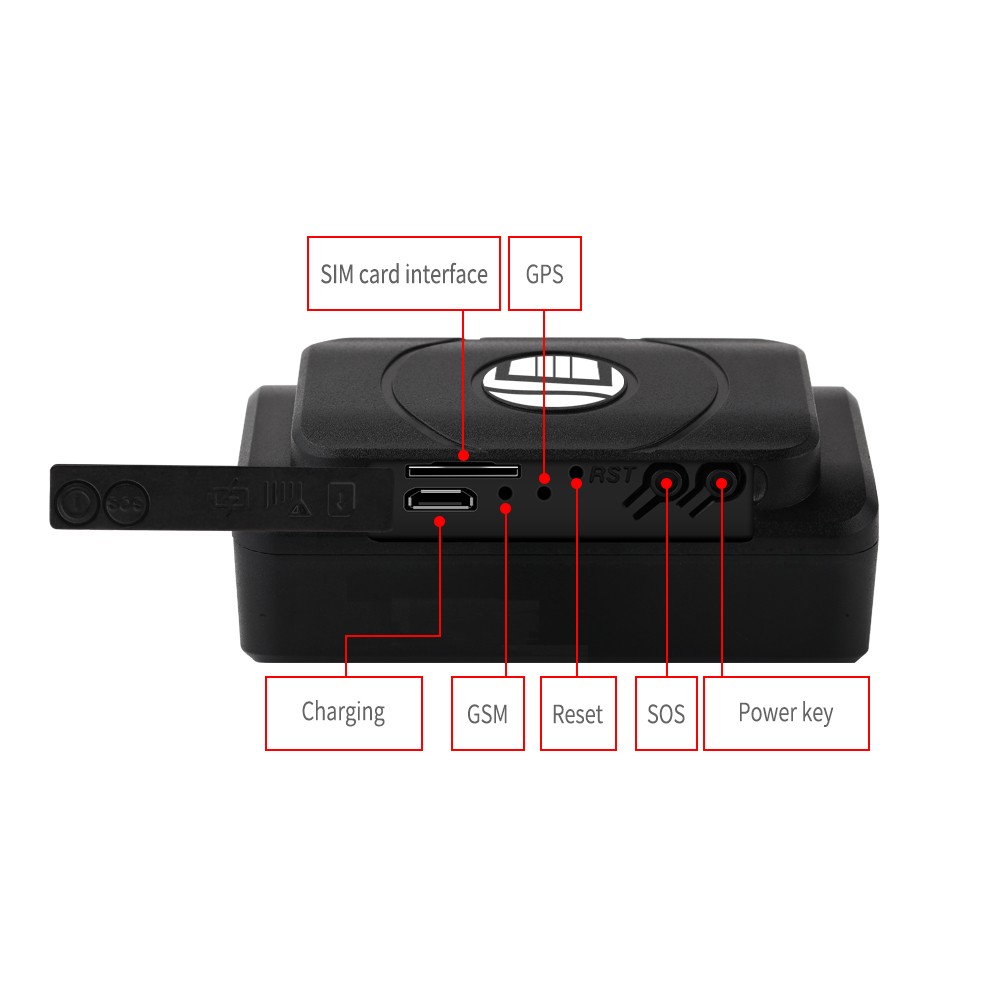
QUICK OVERVIEW Working Based on existing GSM/GPRS network and GPS satellites, this product can locate and monitor any movable device by SMS ,app and internet
Details
- NEW PRODUCT (with original packaging) -- Newest TK202 GPS and AGPS dual positioning GSM/GPRS/GPS Tracker
- Working Based on existing GSM/GPRS network and GPS satellites, this product can locate and monitor any movable device by SMS ,app and internet
- It has newest advanced technology of gps and agps dual positioning
- Content
- Specs
- Dim
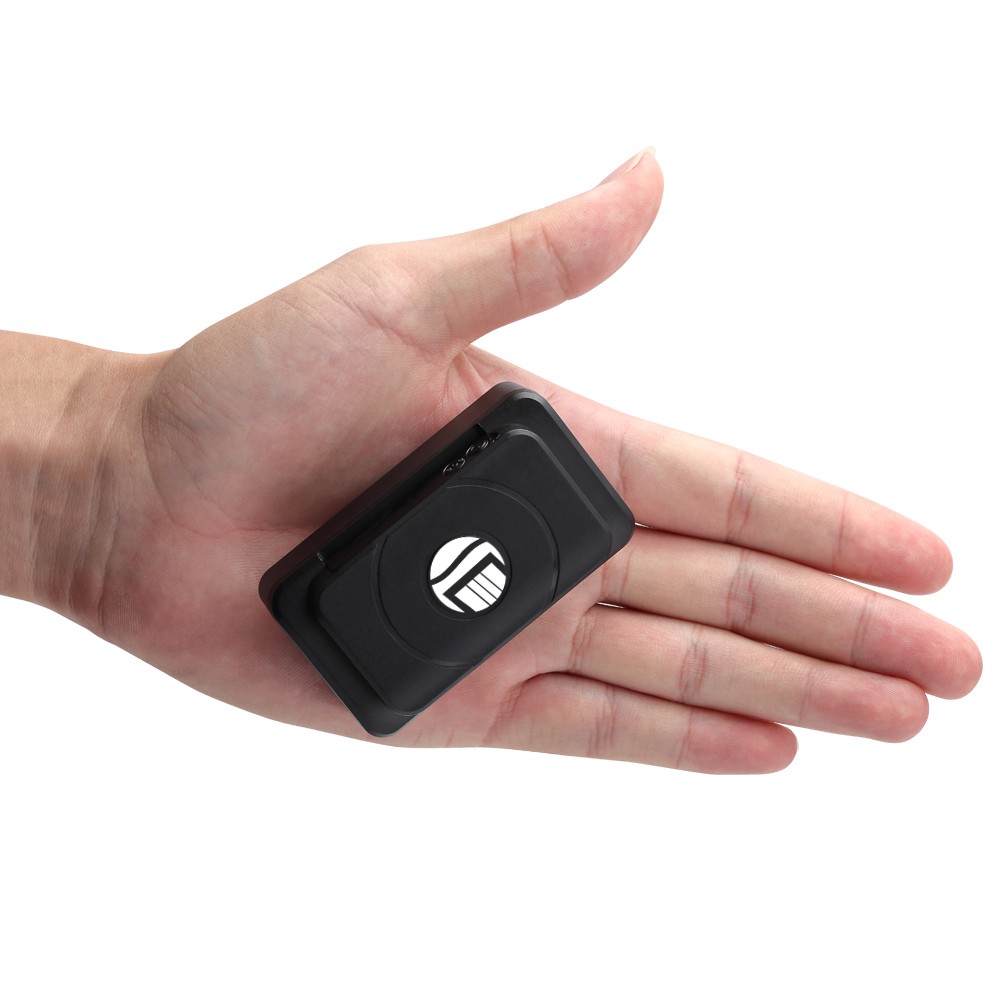
- 74*43*31MM
- Weight
- 202A :140g(6400ma)
- 202B: 95g(4400ma)
- Network
- GSM/GPRS
- Band
- 850/900/1800/1900Mhz
- GSM chip
- MTK6261D
- GPS chip
- U-blox 7020&8130
- GPS sensitivity
- 159dBm
- GPS accuracy
- 5-10m
- Time To First Fix
- Cold status 45-85s
- Warm status 35s
- Hot status 1s
- charging voltage
- Battery
- Rechargeable battery 3.7V
- Storage Temperature
- 40°C to +85°C
- Operating Temperature
- 20°C to +55°C
- Humidity
- 5% to 95% non-condensing
- 2. LED indicator status
- LED INDICATOR STATUS
- MEANING
- Red light continuously on
- Charging
- Red light off
- Fully charged
- Green light flashing
- Successfully obtained GSM signal
- Green light continuously on
- Searching for GSM signal
- 3. Operation
- 1) GPS tracking works outdoors. Must have mobile GSM signal and GPS signal. Metal or buildings above the GPS tracker can block GPS satellite signal.
- 2) Please ensure a GSM 2G SIM card or a compatible 2G GSM network SIM card, supports making calls, sending messages, GPRS network. Have credit, disable the PIN code.
- Quick start
- 1) Insert the SIM card into the device, take the device outdoors.
- 2) Send “smslink123456” to the SIM card in the tracker. The tracker will reply with positioning information.
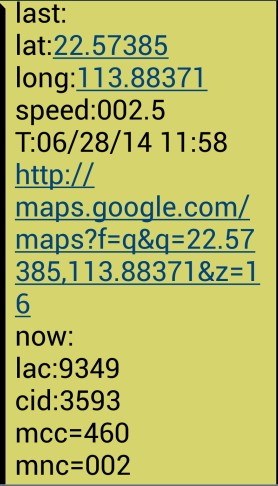
- Picture (1): GPS signal present. Picture (2): No GPS signal.
- Pic (1): Real-time tracking information replied
- Lat:22.67533 lon:114.03913: Latitude and longitude positioning
- Speed: 000.1: device moving speed. The unit is km/h.
- T:06/14/17 09:14 : real-time tracking time, default is London time. You can set a time zone via SMS command.
- Google Link: Google Map showing the position of the device
- Pic (2): Replied last position information. Now it is LBS position information. No GPS signal.
- smcc:27a4 1223: Real-time LBS data
- Time:08/00/00 LBS positioning time
- If you received positioning information as in picture 2, please take the GPS tracker outdoors and walk, then you will receive the satellite signal.
- 4. Supports website tracking and app tracking
- 4.1 Scan QR code and download app
- 1) Scan QR code - Open with browser - Choose Android or iPhone - Download - Install app
- 2) Download iOS app: App Store search - dagps - Install the dagps app
- 4.2 Log in to platform for positioning
- 1) Open www.gps110.org
- Use tracker ID to log in. Default password: 123456.
- You can track the device, it is OK.
- It is real-time positioning. Position is uploaded every 2 minutes by default. You can change the upload interval.
- 4.2 NOTE: If you insert the correct SIM card and enable GPRS, device is outdoors, but still not online. Please set the APN commands.
- We have two methods to find out APN content: ask the SIM card company or insert the SIM card into a mobile phone to find out the APN.
- SMS: APN123456[space]APN name
- (For example, if the APN name is ABC, send: APN123456 ABC)
- (If there is an APN user name and password, add them after the APN name)
- E.g.: APN123456[space]APN name[space]APN user name[space]APN password
- If you want to use another platform, please set new IP and port.
- SMS1: admin123456[space]IP[space]port
- E.g.: Admin123456 103.110.152.62 7018
- 4.3 If you need to register an administrator account and track multiple devices
- Operation: Click user registration - Fill in the app - Log in with registered account - Device list - Add device - Fill in - OK
- If you add more than two devices, continue to add ID numbers.
- 4. Working mode
- [Mode 1]: Vibration power saving mode (no need to set, default)
- Sends positioning data when device vibrates, and does not send data when device is stationary, in order to save power and GPRS cost.
- Send “static123456 120” from a mobile phone to the SIM card in the tracker.
- It positions every 2 minutes (1 time) when the device is vibrating.
- [Mode 2]: Real-time positioning, trajectory mode
- Switch method: dagps APP → Instruction → Mode switch → Trajectory mode → Send → Set upload time (unit: seconds)
- [Mode 3]: Roll call positioning, power saving mode
- Switch method: dagps APP → Instruction → Mode switch → Power saving mode
- If you want to check position, follow these steps:
- Instruction → Positioning → Location
- (If you want to locate, click Locate. If you don't, the device will automatically go into power saving mode.)
- [Mode 4]: SMS mode positioning (GPRS off)
- Switch method: SMS 1: sms123456
- SMS 2: notn123456
- Call the device from a mobile phone and hang up, you will receive positioning.
- Or send “smslink123456” to the SIM card in the tracker, you will receive positioning.
- 6. Command
- NOTE
- 1) Device default password: 123456 (note the space in the command)
- 2) Use the mobile phone app or send a message to the tracker for all setting commands.
- 3) If you want longer standby time, please do not enable movement alarm or real-time location tracking (trajectory mode), etc. If you enable movement alarm or trajectory mode, the battery will be depleted quickly.
- INSTRUCTION
- Example
- REPLY
- Set time zone
- time zone123456 1
- (1 is east 1, -1 is west 1)
- Time zone ok
- Set time zone (half time zone)
- Time zone123456 8 30
- (8 30 is east 8.5 time zone)
- time zone ok
- position
- smslink123456
- Get address
- Set admin number
- (supports 5 admin numbers)
- admin123456 [mobile number]
- Admin number receives alarm message
- admin ok
- Cancel admin number
- noadmin123456 [mobile number]
- noadmin ok
- set move alarm
- move123456(in order to save power,
- suggest not open)
- move ok
- Cancel move alarm
- nomove123456
- nomove ok
- Cancel low battery alarm
- low battery
- Low battery ok
- Cancel GPRS
- sms123456
- smsok